
When a server goes down in the middle of a workday, everything stops. Nobody can open files, the apps crawl, and customers sit waiting. So the goal isn’t to buy the newest box. It’s to buy the right one.
Trying to decide which option is better: Dell PowerEdge R740 vs R750? Chances are you’re asking yourself if the R750 really justifies the higher price. Sometimes it is, and sometimes it isn’t. Both are solid enterprise servers, but they suit different workloads and budgets.
Here’s how they compare, so you can pick one that works now and still has room for growth.
Overview of Dell PowerEdge R740 and R750
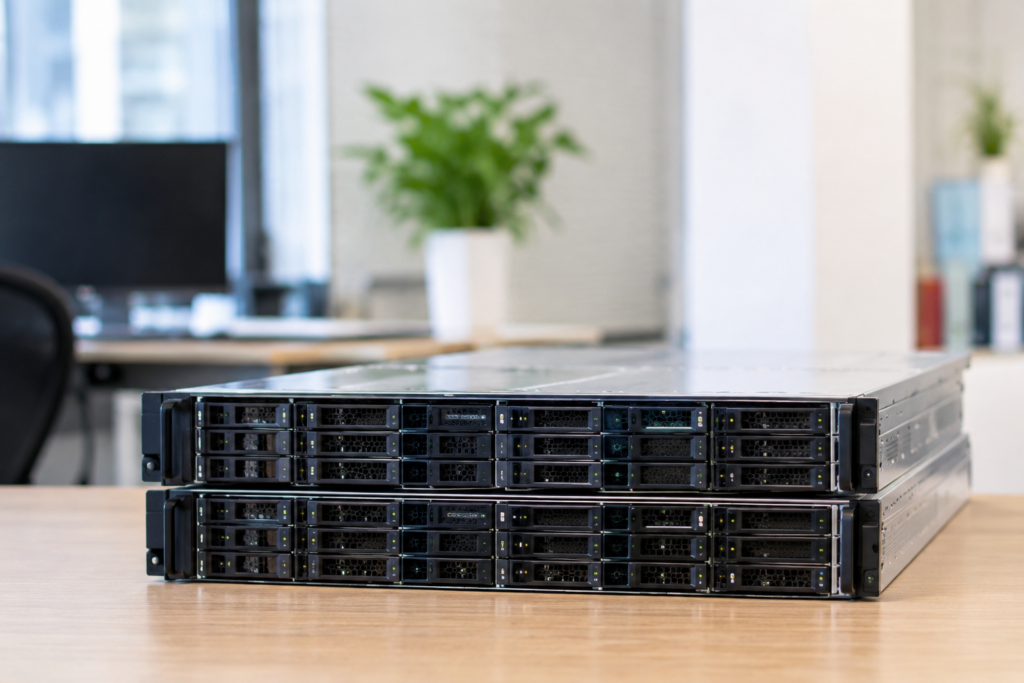
The Dell PowerEdge R740 is a 14th-generation 2U rack server. It is very good for business applications, virtual machines, and data storage. It is also flexible in configurations. If you want dependable performance without paying extra for the latest hardware, it’s a sensible choice.
The Dell PowerEdge R750 is from the 15th generation. You get newer processors, faster memory, and better expansion options. If you run heavy applications or plan an infrastructure upgrade soon, those upgrades can make a real difference.
In the Dell R740 vs R750 debate, four things matter most: processing power, memory bandwidth, expansion options, and how long you need the server to last.
Key Hardware Differences Between the Two Servers
A server’s specs determine how well it handles your daily load, so it helps to put the Dell server specifications side by side.
Processor Generations and Memory Support
The R740 works with first- and second-generation Intel Xeon Scalable processors. The R750 uses third-generation ones.
Any modern Dell Xeon server can run several applications at once, but the processor generation sets how far it can stretch. On the R740, second-generation Xeon CPUs go up to 28 cores each. The R750 goes up to 40 cores per processor, depending on the configuration.
Memory is the next difference.
The R740 has 24 DDR4 DIMM slots running at up to 2933 MT/s. Dell R750 memory goes further, with 32 DDR4 slots and speeds up to 3200 MT/s. For demanding applications, that extra headroom matters.
Storage Expansion and Networking Options
Storage tends to fill up faster than anyone plans for. Customer records, application data, and backups add up quickly. Dell R740 storage setups support SAS and SATA drives, and some chassis and backplane options also offer NVMe. The R750 is more flexible, with configurations that support up to 24 front NVMe drives.
Then there’s expansion and networking. The R740 uses PCIe 3.0. The R750 moves to PCIe 4.0 and adds OCP 3.0 networking options.
If you’re browsing Dell R740 Dubai and Dell R750 Dubai listings, don’t skip the details. Check the drive bays, network adapters, and RAID controller on each one before you commit.
Performance for Virtualization and Databases
Say your accounting software, your CRM, and a few virtual machines all run on one physical server. Once your whole team is logged in, CPU and memory become the limiting factors.
The R740 copes fine with most small and mid-sized virtualization setups, provided it has enough cores, RAM and storage. If you run many virtual machines or large databases, though, the R750’s newer processors and higher memory bandwidth give you more breathing room.
That’s why a PowerEdge generation comparison should begin with your workload, not the generation number. For database-heavy work, look at storage latency, memory use, and CPU load first. A well-built R740 can beat a poorly configured R750 in some cases.
Power, Management and Long-Term Support
The purchase price is only part of what a server costs you. Electricity, cooling, maintenance, and spare parts keep adding up after that. Both models offer redundant power supplies and Dell’s iDRAC9 remote management, so your IT team can check hardware health and fix supported issues without being in the server room.
Power draw depends on what’s inside: the processors, drives, expansion cards, and the load you put on it. A newer server doesn’t automatically use less electricity. Also check firmware availability, operating system compatibility, warranty status, and how easy it is to get replacement parts. This is especially true when buying a Dell rack server in the UAE, as unexpected downtime affects business continuity.
Which Server Fits Your Workload and Budget?
Not everyone needs the most powerful server around. If you run a small accounting firm with file sharing, office apps, and a few virtual machines, the R740 will probably do the job. It’s often better value too, as long as the supplier gives you the right specs and a fair warranty.
If your business is growing and you’re running bigger databases, heavy virtualization, or demanding applications, the R750 makes more sense. When you plan an investment in enterprise server Dubai, think about where your workload will be in three to five years. Then add up the full cost: memory upgrades, extra storage, software licenses, maintenance, and electricity, not just the price tag.
The best choice balances the performance you need with the total cost of ownership.
Buying Dell PowerEdge Rack Servers in Dubai
Where you buy matters as much as what you buy.
Before you pay, ask for the exact processor model, installed RAM, storage layout, RAID controller details, and warranty terms. Find out whether the server is new or refurbished, and confirm its condition before any money changes hands.
Dell Server Dubai supplies Dell servers to businesses across Dubai and the wider UAE. Its website also lists PowerEdge hardware and compatible components.
Still undecided on Dell PowerEdge R740 vs R750? Please contact Dell Server Dubai for availability and configurations.
To summarize, the R740 remains a practical choice for established workloads and tighter budgets. If you’re expecting heavier demands, the R750 provides more room to grow. Choose the one that fits your applications today and leaves room for tomorrow.
Frequently Asked Questions
1. What is the main difference between Dell R740 and R750?
The R740 uses older-generation Intel Xeon processors and PCIe 3.0. The R750 supports third-generation Xeon processors, faster DDR4 memory, and PCIe 4.0.
2. Which PowerEdge model is better for virtualization?
Either one can do the job. The Dell PowerEdge R740 is a good fit if you’re running a moderate number of virtual machines. If you plan to run a lot of VMs, or your workloads need more cores and memory bandwidth, the Dell PowerEdge R750 gives you more room to work with.
3. Do the R740 and R750 use the same memory?
Mostly, yes. Both servers take DDR4, so it’s easy to assume you can swap RAM between them. In practice, it’s not that simple. The R740 tops out at 2933 MT/s, while Dell R750 memory runs up to 3200 MT/s, and the slot counts and supported capacities differ as well. If you’re planning to reuse modules from an old server, check compatibility first. It can save you a lot of hassle later.
4. What should I check when buying an older PowerEdge server?
Start with the basics. Processor model, memory health, drive health. Then look at the firmware version, hardware logs, warranty coverage, and whether your operating system is supported. It’s also worth asking the seller for the Dell Service Tag, which lets you look up the server’s support details yourself. If you’re buying a Dell R740 Dubai or Dell R750 Dubai unit, don’t skip any of this, especially for refurbished hardware.
5. Where can I buy Dell R740 and R750 servers in Dubai?
You can reach out to Dell Server Dubai. Tell them what you’re after, a Dell PowerEdge R740 or an R750, and roughly what you’ll run on it. They’ll let you know what’s in stock and what it costs, and you can ask about the warranty at the same time.